How PipsSyndicate Works
Getting started is straightforward. From downloading your MT4/MT5 EA to connecting with our secure license verification server, here is the complete step-by-step workflow.
Download EA from Members Portal
After purchase, log in to our secure members portal and download the EA file for your platform (MetaTrader 4 or MetaTrader 5).
Install & Enter License ID
Once installed in MetaTrader, open the EA’s inputs and paste your License ID (provided in the member portal).
Server-Side Verification
On the chart, the EA will attempt to connect to our license server. A successful connection will display a message on your chart confirming the account number, License ID, and expiry date. This server-side check enforces your license terms: the EA continually verifies the expiry date against our server, so changing your computer clock cannot bypass the license.
24/7 Market Scanning & Indicators
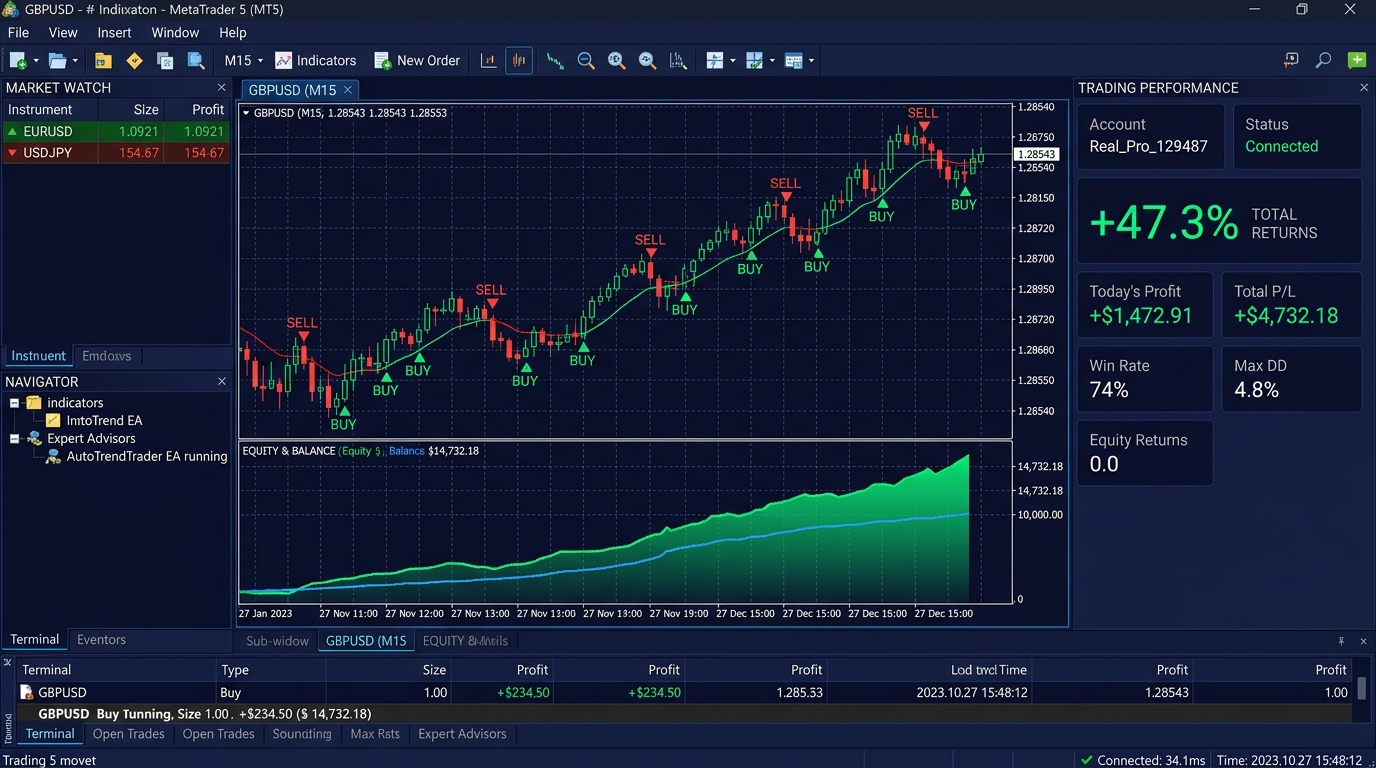
From there, the bot begins monitoring market data. It analyzes live price charts and technical indicators (for example, moving-average lines on a candlestick chart) to identify trade signals. The EA scans charts continuously – running 24/7 so it never misses a valid setup.
Automated Execution or Alerts
When a signal occurs (e.g. a breakout or indicator crossover), the bot automatically opens the corresponding order. You can also choose to have it only alert you for approval, but by default trades are placed automatically. Because the bot follows fixed rules without emotion, it executes each trade with precision.
Download Area for MetaTrader 4 & MT5 EAs
After purchasing or starting your trial, access the secure members portal to download your platform binaries.
PipsSyndicate EA for MetaTrader 4
MQL4 Institutional Core • File: PipsSyndicate_v2.4.ex4
PipsSyndicate EA for MetaTrader 5
MQL5 Multi-Threaded • File: PipsSyndicate_v2.4.ex5
Scanning Candlesticks & Moving Averages 24/7
As illustrated below, the EA scans charts continuously – using multi-timeframe moving averages, trend breakouts, and ATR volatility bands so it never misses a valid trading setup.